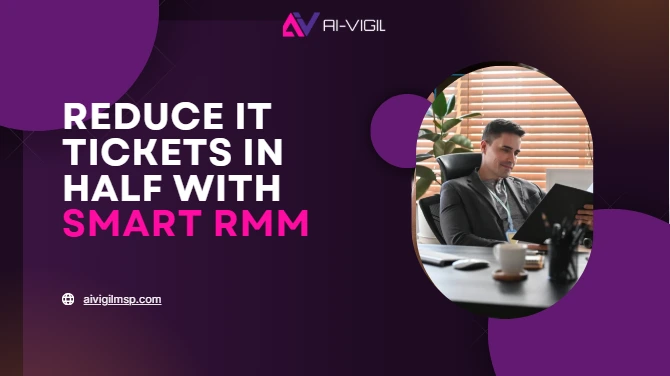
Imagine that it is already 9:15 am on a Tuesday. Your information technology manager has just gone to his desk with his first coffee when the warnings start coming in.
- A mass password reset request by employees who had forgotten their passwords.
- The finance server missed its patch last night and payroll is now running late.
- The printers are not online at the warehouse.
- The sales CRM is crawling at the speed of dial-up.
At noon, dozens of open tickets are piled in the queue. Some are urgent. Others are repetitive. Everyone is cannibalizing on productivity.
This is not unique, that is the everyday life of IT teams in 2025.
Based on the 2025 IT Operations Survey by Gartner, on the average, an IT employee wastes above 60 percent of his time on firefighting tickets instead of planning or innovating.
And the punchline is that, those tickets are more than mere tech hiccups. They represent:
- Waste in terms of time of employees – delayed projects and late deadlines.
- Frustration – teams that have to wait to fix something that they are not supposed to even contemplate.
- Financial risk – globally, according to the IBM 2025 Cost of a Data Breach Report, downtime is costing an average of 5.3 million per year.
In the case of SMBs, a single downturn may take away a quarter of the gains in one instance only.
That is why IT leaders are reconsidering the manner in which tickets are processed – and why Remote Monitoring and Management (RMM) has become not only a nice-to-have, it is now essential infrastructure.
The Reason Why Traditional IT Support is a Failure
The traditional IT model had the appearance of the following:
- Something breaks.
- An employee submits a ticket.
- IT investigates, implements a fix and closes the ticket.
The following loop was working well under the circumstances that a company contained:
- A few on-prem servers,
- A handful of applications,
- And a predominantly in-office work force.
But in 2025, that world is gone. That is why the old model does not work anymore:
Reactive by design
There is no use in doing a ticket once it is submitted. Unproductiveness, wait time and end user frustration accumulate even before IT receives the request.
Lean teams, heavy loads
The roles of an IT manager today may include having to manage 100 or more endpoints, several SaaS systems, and industry compliance. Fixes done manually are no longer realistic at that scale.
Cloud sprawl
Microsoft 365, Salesforce, QuickBooks, CRMs and vertical specific applications all present a additional point of failure.
Regulatory demands
There is a significant increase in compliance frameworks such as SOC 2, PCI-DSS, and HIPAA that mandate ongoing monitoring, not quarterly reports, to receive compliance. Those rules cannot be followed by Reactive IT.
Employee expectations
IT is expected to work just in the hybrid and remote workforces. When systems fail, they are not interested in the reasons, they simply realize that they cannot accomplish their task.
There is no wonder that IT leaders are moving out of the break/fixed mode of thinking. Instead they are creating proactive, automated, 24/7 environments.
That’s where RMM comes in.
RMM: The Change to the Proactive
Remote Monitoring & Management (RMM) is not just another tool. It is a total change of IT strategy.
- RMM: Employees should not raise tickets.
- Keeps on tracking devices, servers and networks.
- Executes auto-fixes (such as patching, reboots and log cleanup).
- Early warning of flags before they get out of control.
- Brings together all the alerts on a single dashboard to ensure that the teams in IT do not get overwhelmed with noise.
- Records all the actions to be compliant.
5 Ways RMM Reduces IT Tickets by Half
Patching Automation = Nevermore Update Chaos
Expired software and missed patches make infinite tickets and open security holes. RMM will monitor, run tests, and update all of your environment automatically.
Impact: a decrease in the number of complaints about system not updating, as well as exposure to exploits.
Predictive Alerts = Prevent Problems Before Users Become Aware of Them
RMM software identifies problems such as overheating processors, malfunctioning drives or suspicious logins way before they get to the end users.
Impact: there is no downtime, and IT teams are able to sort out the issues that even do not enter the queue of tickets.
Self-Healing Scripts = IT-Free Instant Fixes
RMM can execute pre-determined scripts immediately, whether it is a restart of services or freeing disk space.
Impact: removes up to 40% of repetitive nuisance tickets, allowing staff to perform higher value work.
Single Dashboards = A Single Source of Truth
RMM makes it so that instead of searching between different apps to get an alert, all is in one place.
Impact: Information technologies personnel cease to context-switch and begin resolving. Efficiency increases and the control increases.
Already Scrambling Audits = Compliance Logs
All operations performed by RMM, such as patch applied, block login, run script, etc. are recorded.
Impact: IT does not panic when auditors inquire about evidence. It takes minutes to prepare reports, not weeks.
The Reason Why 2025 Is the Year That Businesses Can No Longer Ignore RMM
A number of trends have continued to drive RMM out of the option to the urgency:
- Hybrid work is permanent. More devices = more risk. Any unprotected end point is a possible violation.
- Cybercrime is surging. According to Cybersecurity Ventures, the global cost of cybercrime is projected to hit 13 trillion/year by the year 2028.
- Talent shortages. As the cost of IT hires is on the rise, the automation covers the gaps that people are unable to cover.
- The expectations of clients are uncompromising. Downtime does not go well with customers. In other businesses such as finance and health, a single failure may ruin trust forever.
- Decisions made using data are more important. The executives desire straightforward responses: where are the issues originating, how many work hours are saved and what is the ROI? RMM provides the reporting.
Where AI-Vigil Comes In
At AI-Vigil we do not simply put a tool. RMM is customized to your business:
- Patching done automatically, and at your own times.
- Forecasting that is predictive to your systems.
- Write your recurring problem scripts which self-heal.
- 24/7 coverage of all the devices, servers, and apps.
We assist IT teams to no longer be submerged in tickets but get the business on the move.
👉 Our AI-Vigil logistics blog explores how automation has already saved costs in IT in other industries.
FAQs
What exactly is RMM?
RMM (Remote Monitoring and Management) is able to automatically scan IT systems, repair problems, and offer centralized accounts to IT teams.
Will RMM replace my IT team?
No. It also works with repetitive tasks leaving your IT personnel with time to work on strategy, innovation, and complex problem-solving.
How fast can results be seen?
The majority of the businesses document 30-50 decreases in tickets in 90 days of implementation.
Is RMM only for large firms?
Not at all. This tends to be the most beneficial to SMBs as RMM offers enterprise-level monitoring without enterprise-level overhead.
Is RMM secure?
Yes. Encryption and access controls as well as complete logging are employed by RMM platforms. Actually, they minimize risk because they detect threats at an earlier stage and fill blind spots.